The creative AI home for people who make things.
Create art, video, captions, and upscaled images from one platform. Dopamine.so keeps your creative workflow in one place with one account and one credit system.
Creative loop in one workflow
Imagine to publishStep 1
Imagine
Turn rough ideas into original visuals in minutes.
Step 2
Refine
Edit style, composition, and detail with prompt-based controls.
Step 3
Animate
Convert still visuals into short video clips for social formats.
Step 4
Polish
Upscale final image and video outputs for cleaner publishing quality.
Popular apps this week
Magic Edit examples
Reference-based editing examples that combine subjects and environments into polished, coherent final visuals.
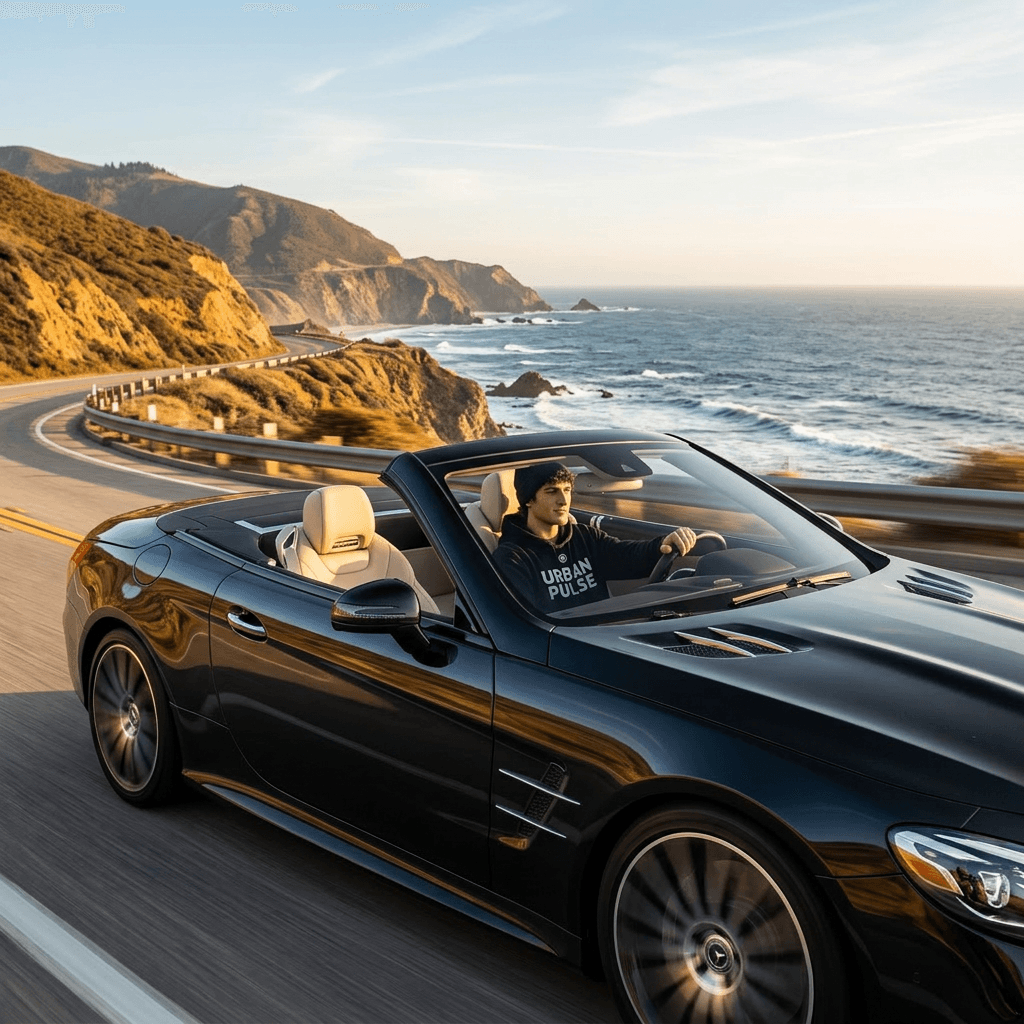
Combine subject and vehicle into one cinematic scene
Turn two separate photos into a lifestyle shot without a location shoot or custom photography session.
Inputs
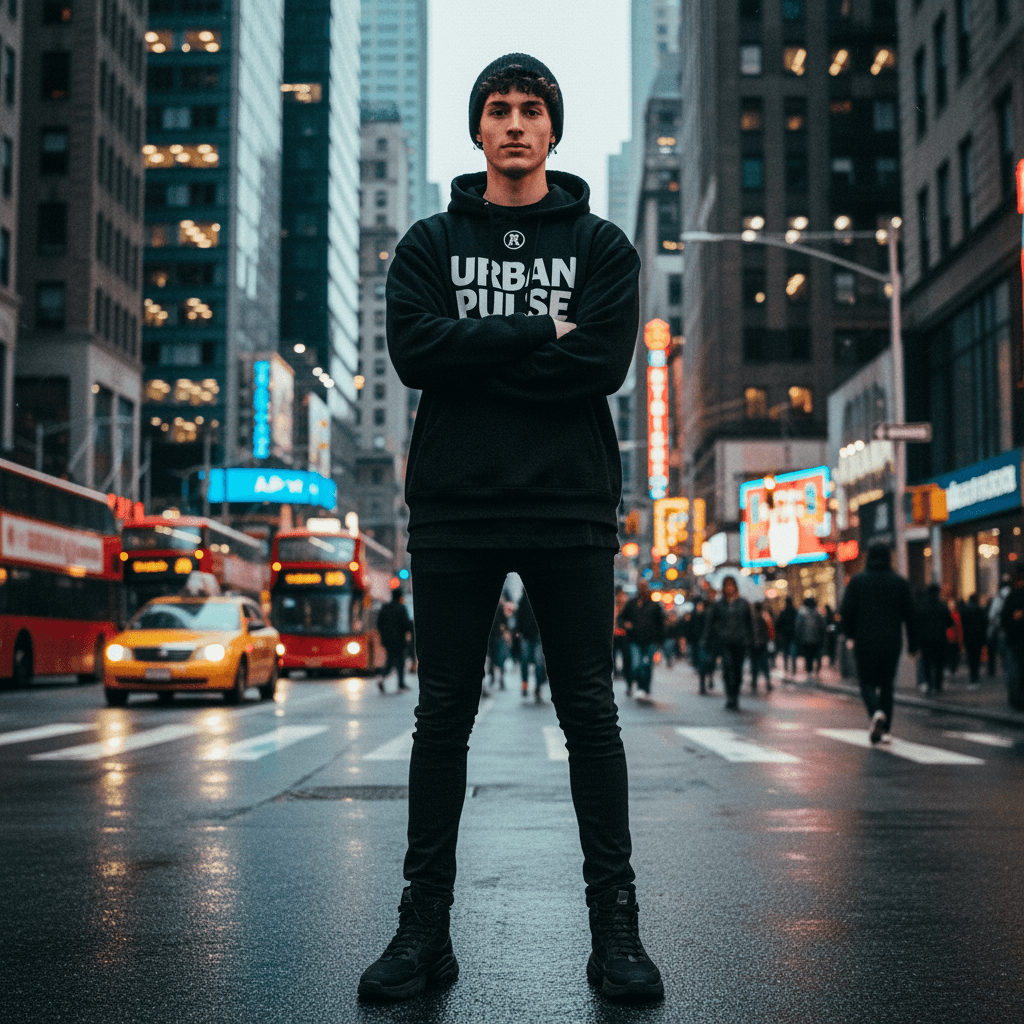
Input 1 · Subject
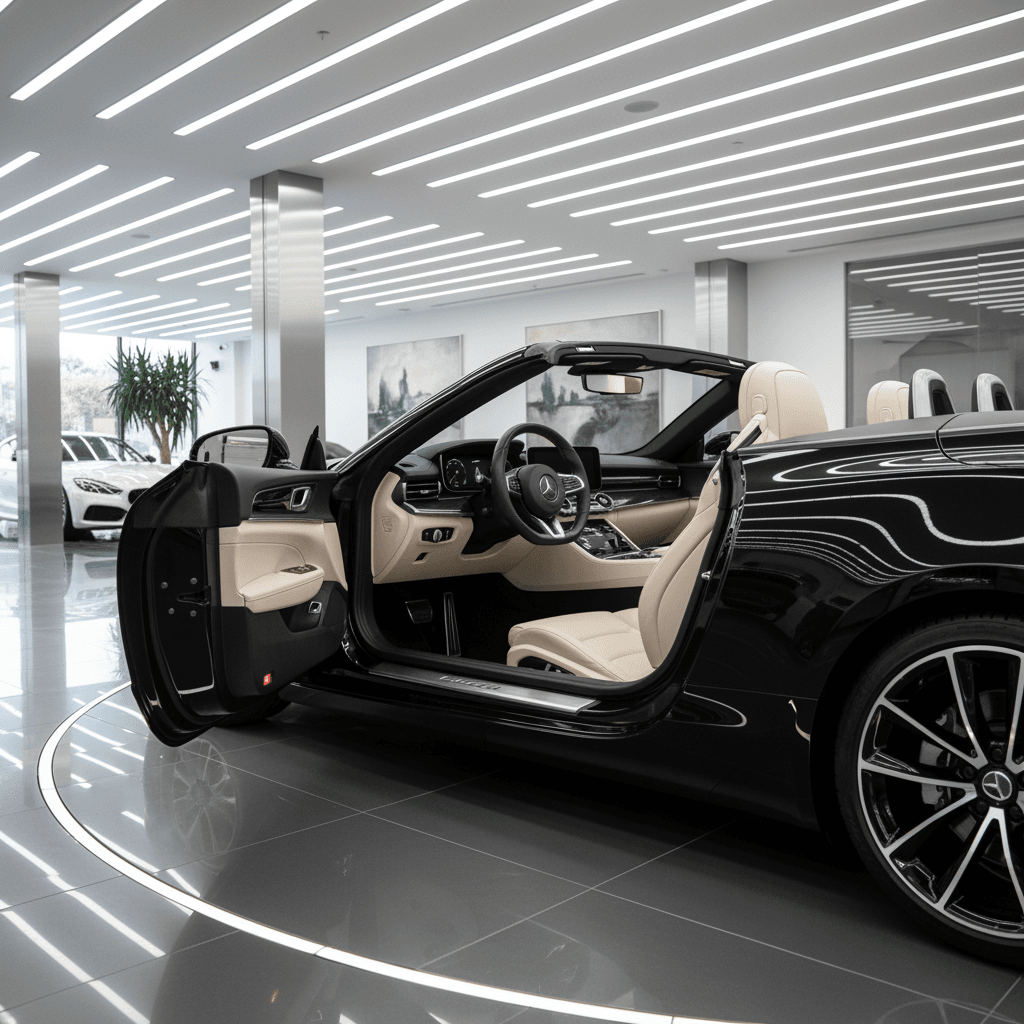
Input 2 · Car
Edit prompt
make a photo of the man driving the car down the california coastline
Place a studio portrait into a real-world setting
Create natural lifestyle content for social posts using one portrait and one location reference.
Inputs
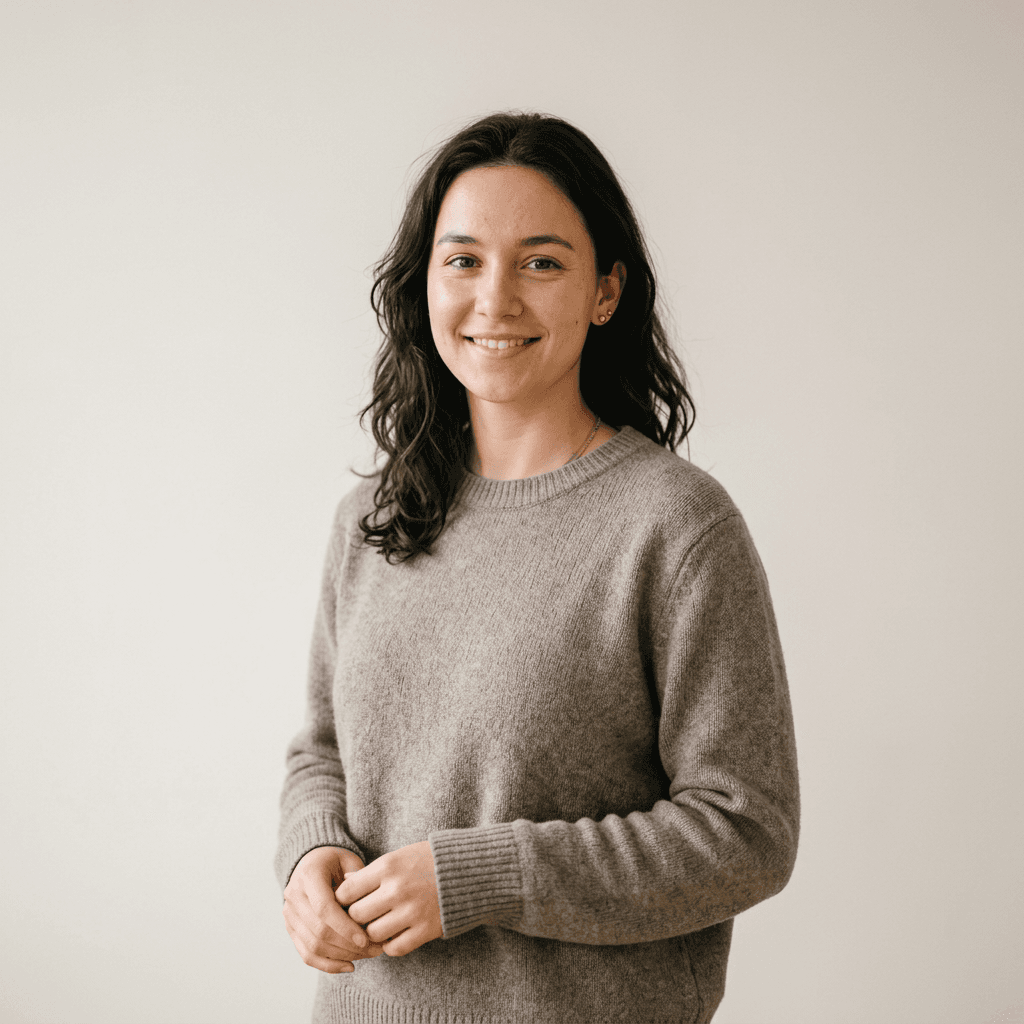
Input 1 · Person portrait
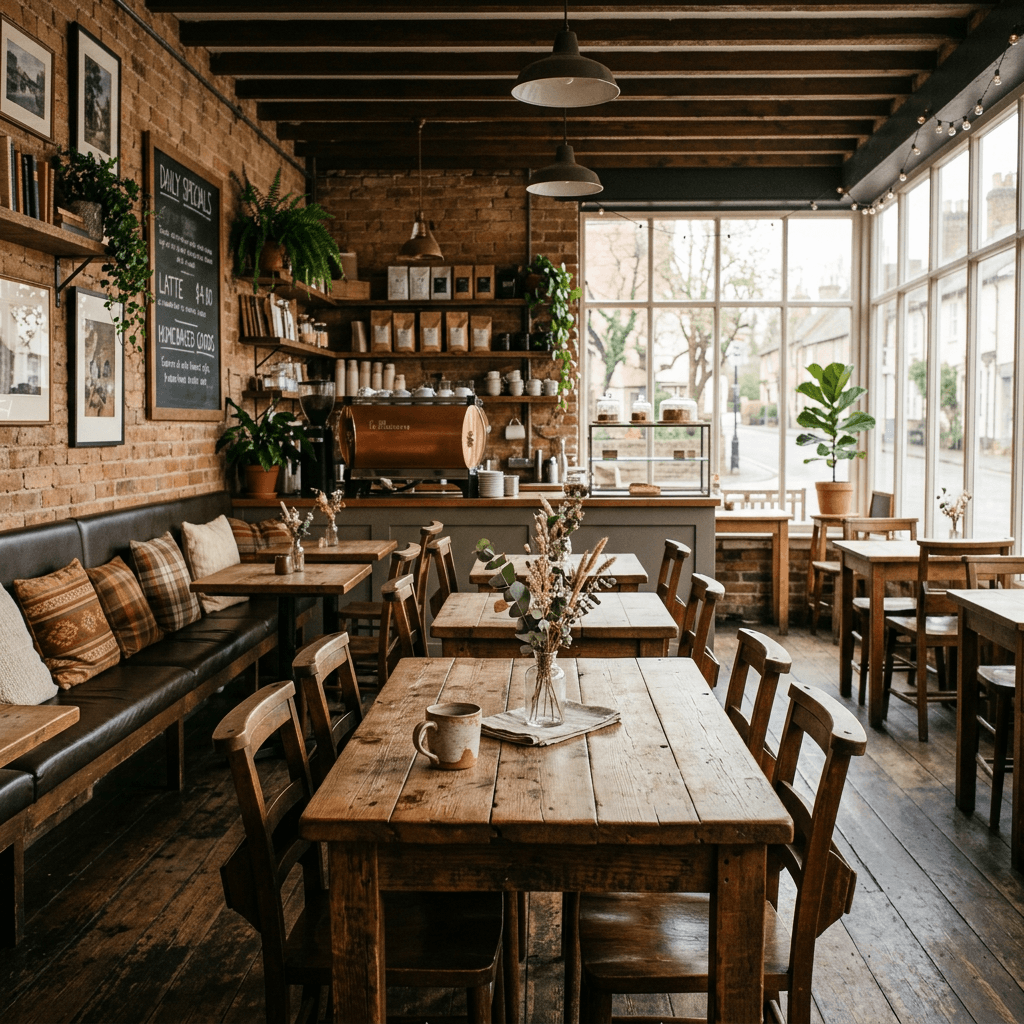
Input 2 · Coffee shop interior
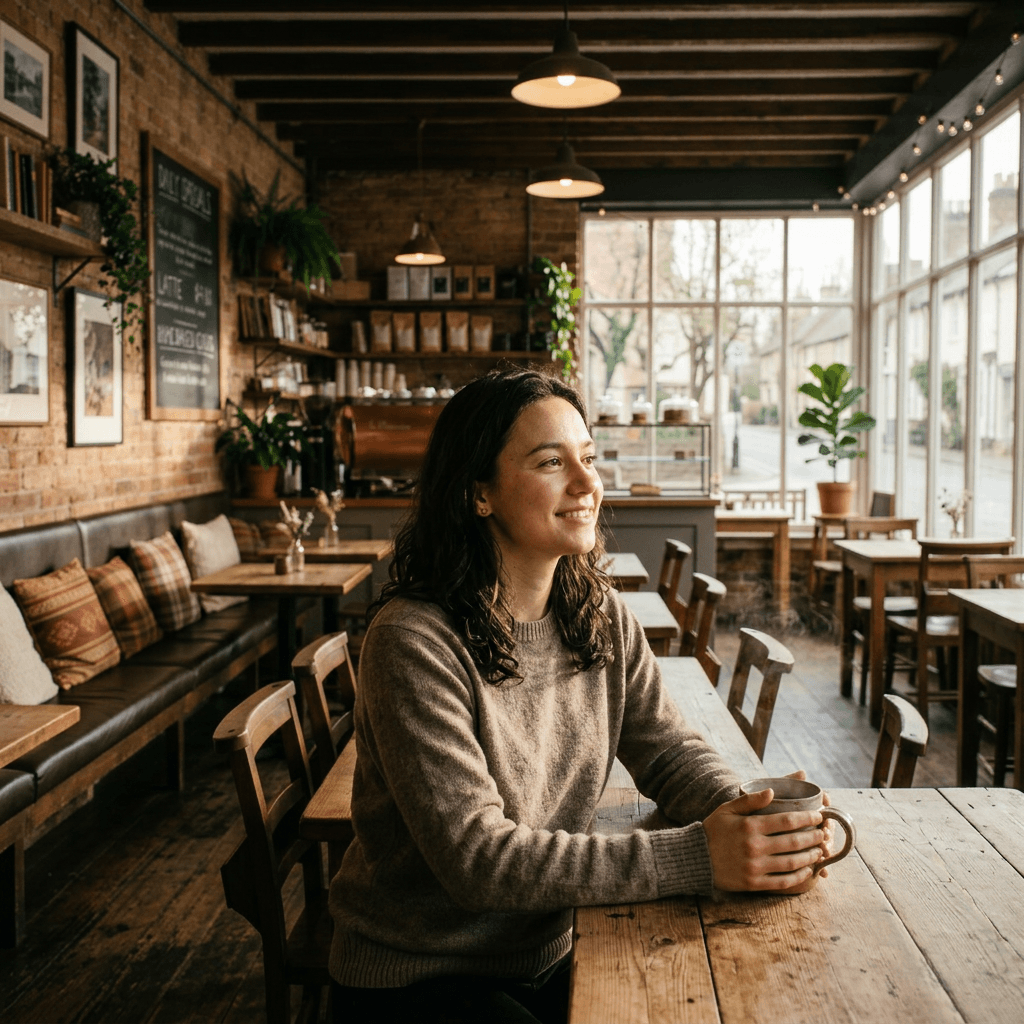
Edit prompt
Create a photorealistic image of the woman sitting by the window inside this coffee shop, holding a ceramic mug, natural morning light on her face, candid lifestyle photography style, keep her facial identity and clothing consistent.
Build a dynamic product ad from multiple references
Produce high-impact ad creative by combining product detail, human motion, and environment in one generation.
Inputs
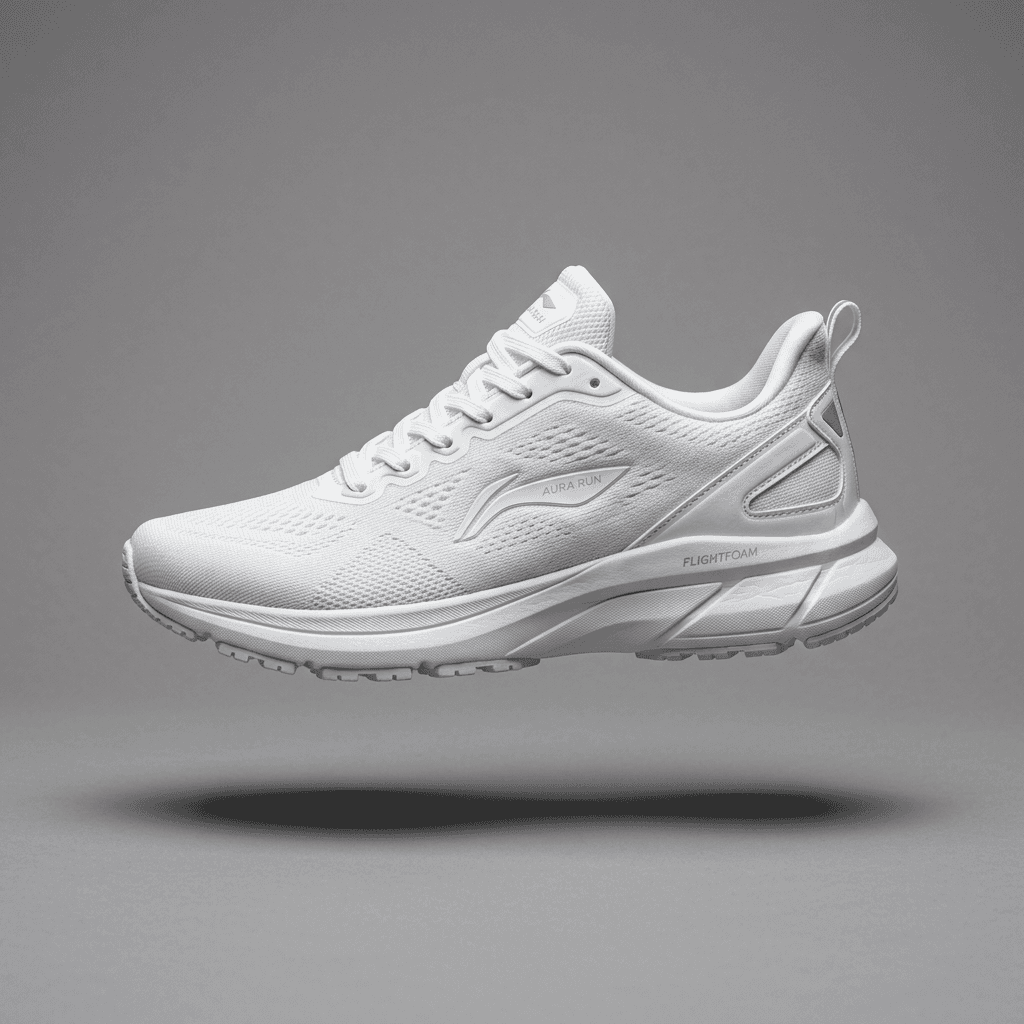
Input 1 · Sneaker product shot
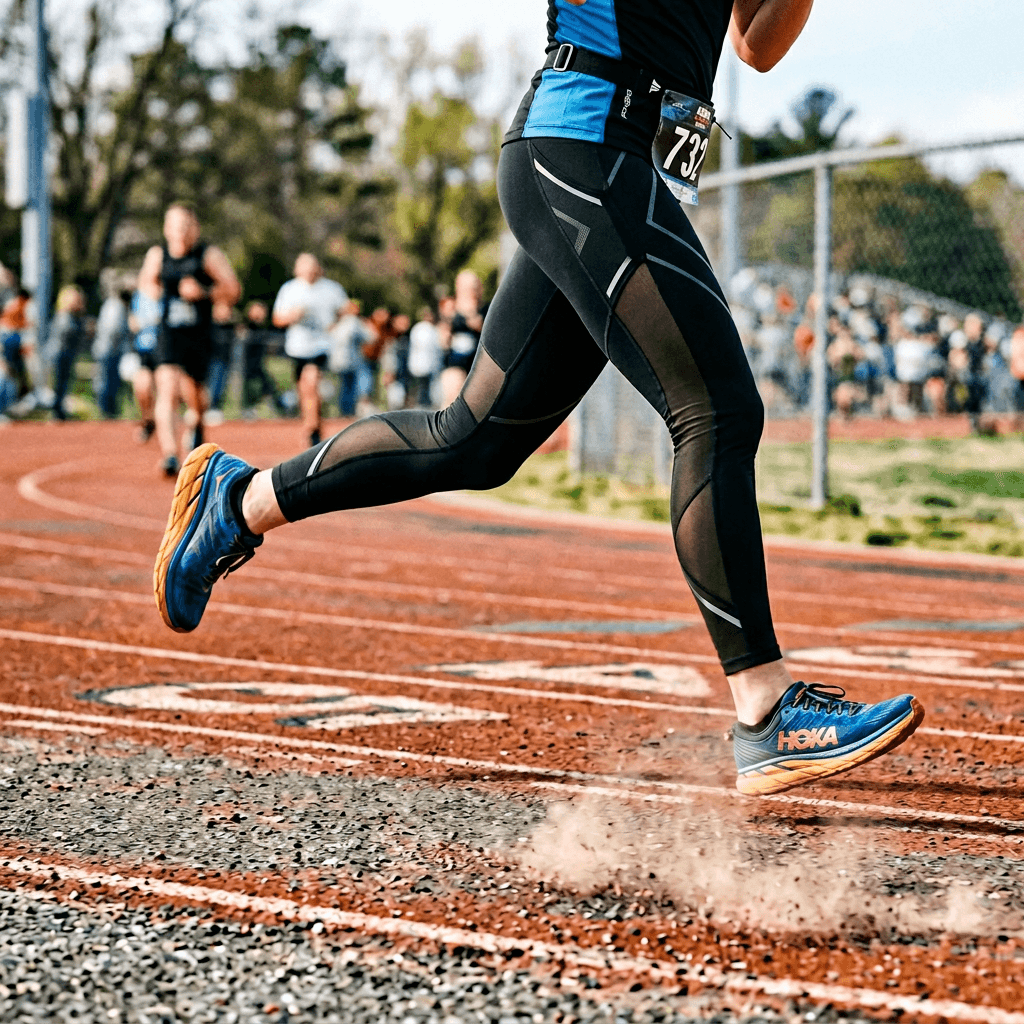
Input 2 · Runner legs action shot
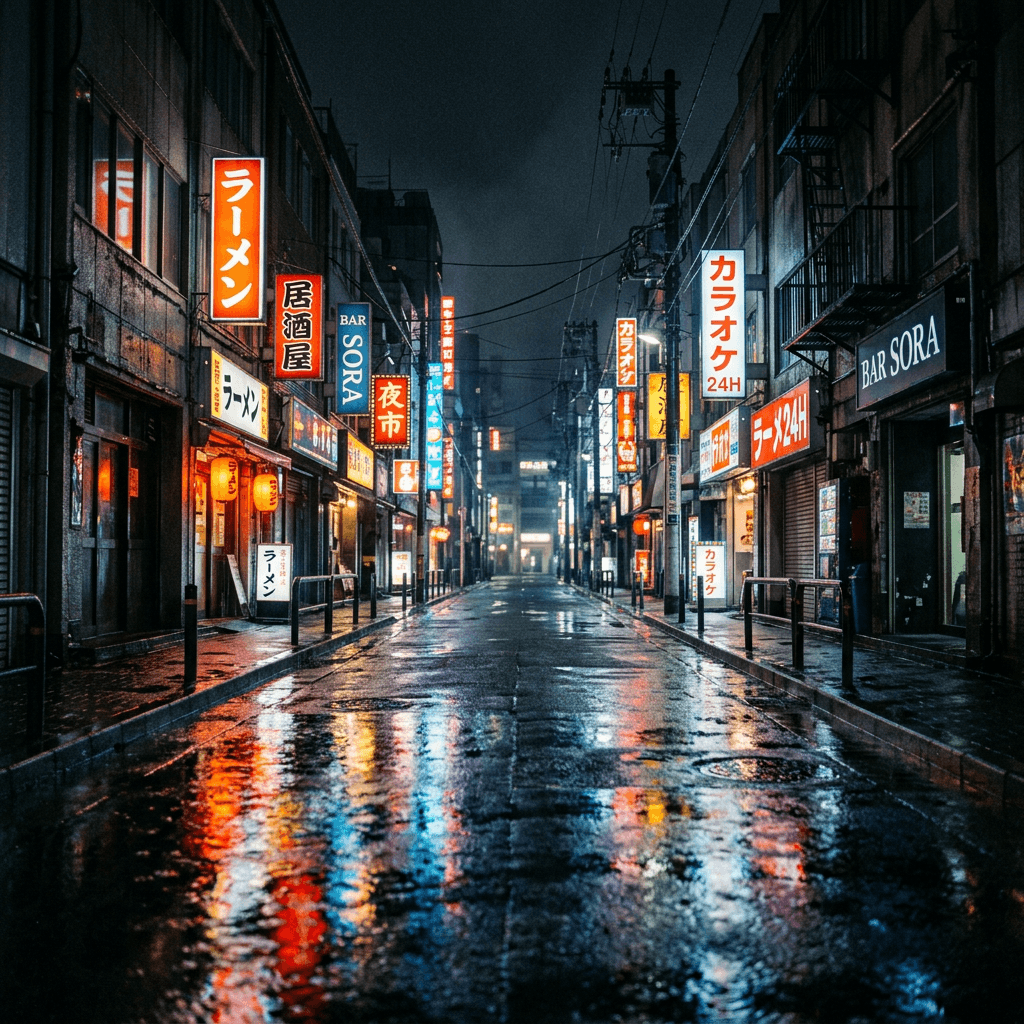
Input 3 · Night city street background
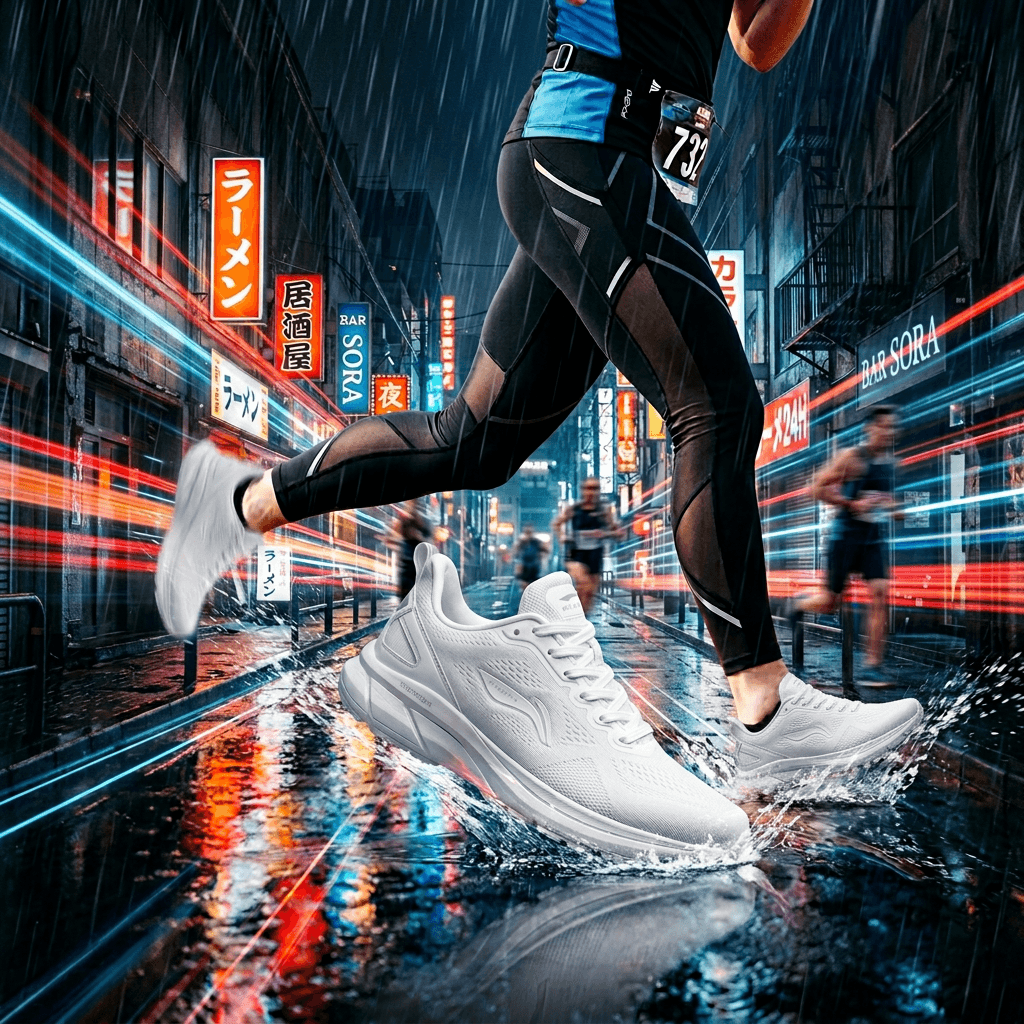
Edit prompt
Generate a photorealistic sports ad scene by placing the sneaker onto the runner's moving foot in this rainy neon city street, emphasize speed and motion, sharp product detail with cinematic lighting, vertical ad composition.
Transform a simple scene into an event-ready visual
Turn a plain location photo into polished marketing imagery for event invites and social announcements.
Inputs
Input 1 · Backyard daytime photo
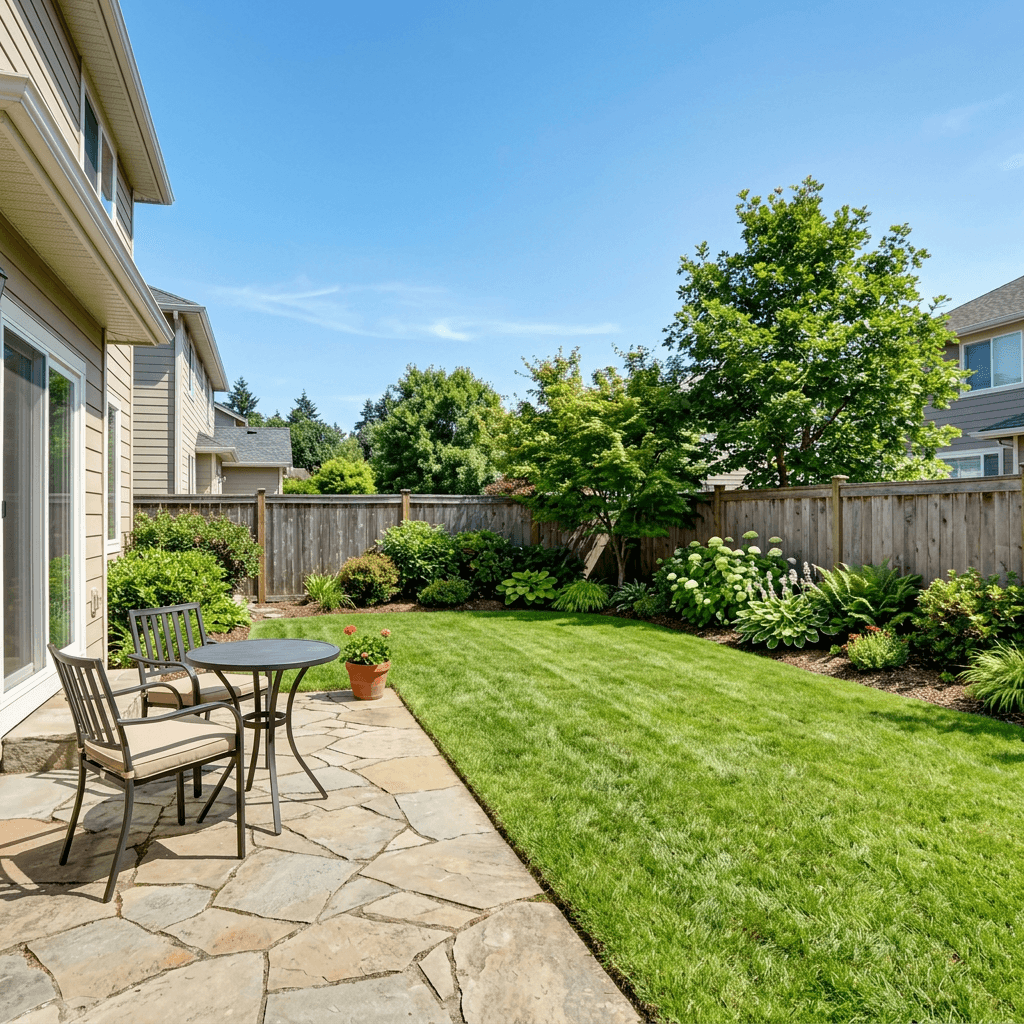
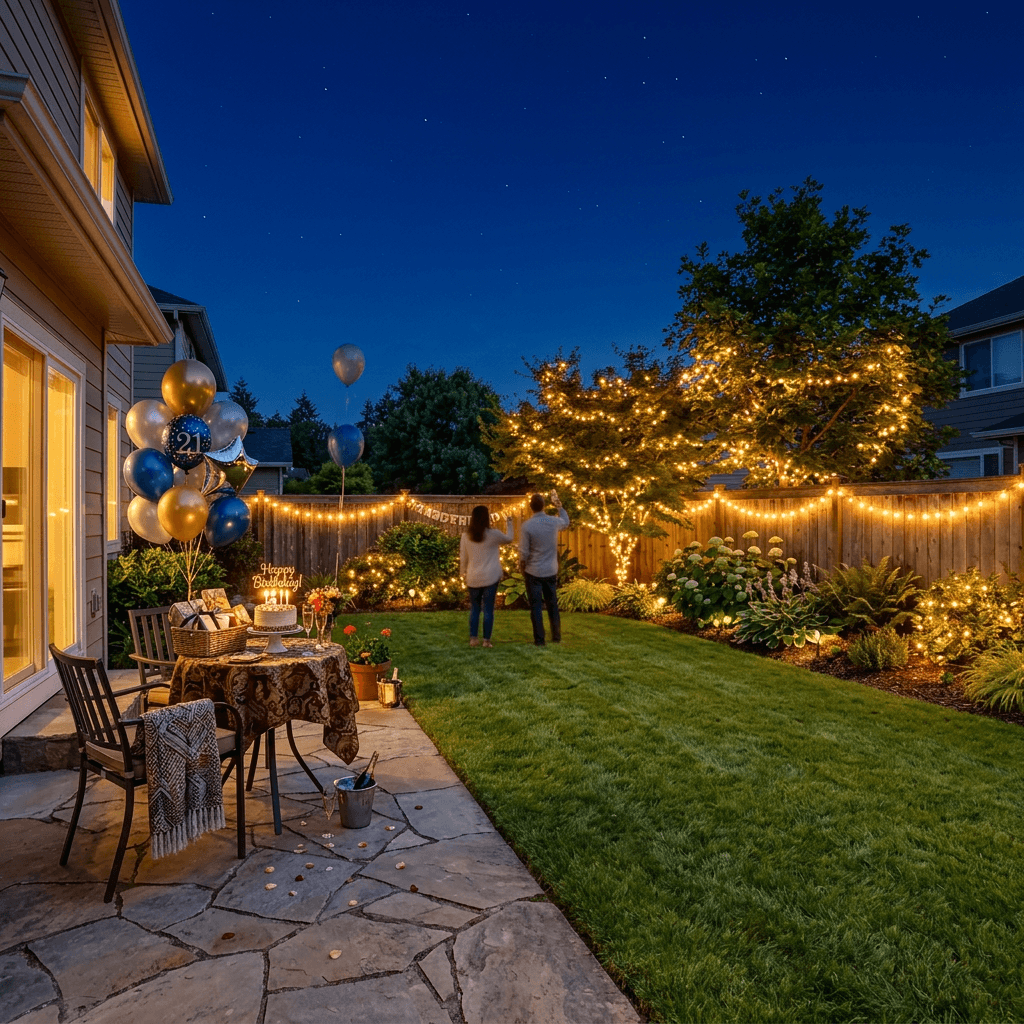
Edit prompt
Transform this backyard into a cozy nighttime birthday party scene with warm string lights, decorated table, balloons, subtle bokeh, and a celebratory atmosphere while preserving the original layout.
Image to Video examples
Animate still images into motion clips for social ads, creator storytelling, and launch content.
Turn a still portrait into runway motion
Convert static portraits into premium motion content for reels and short-form social posts.
Inputs
Input 1 · Portrait image
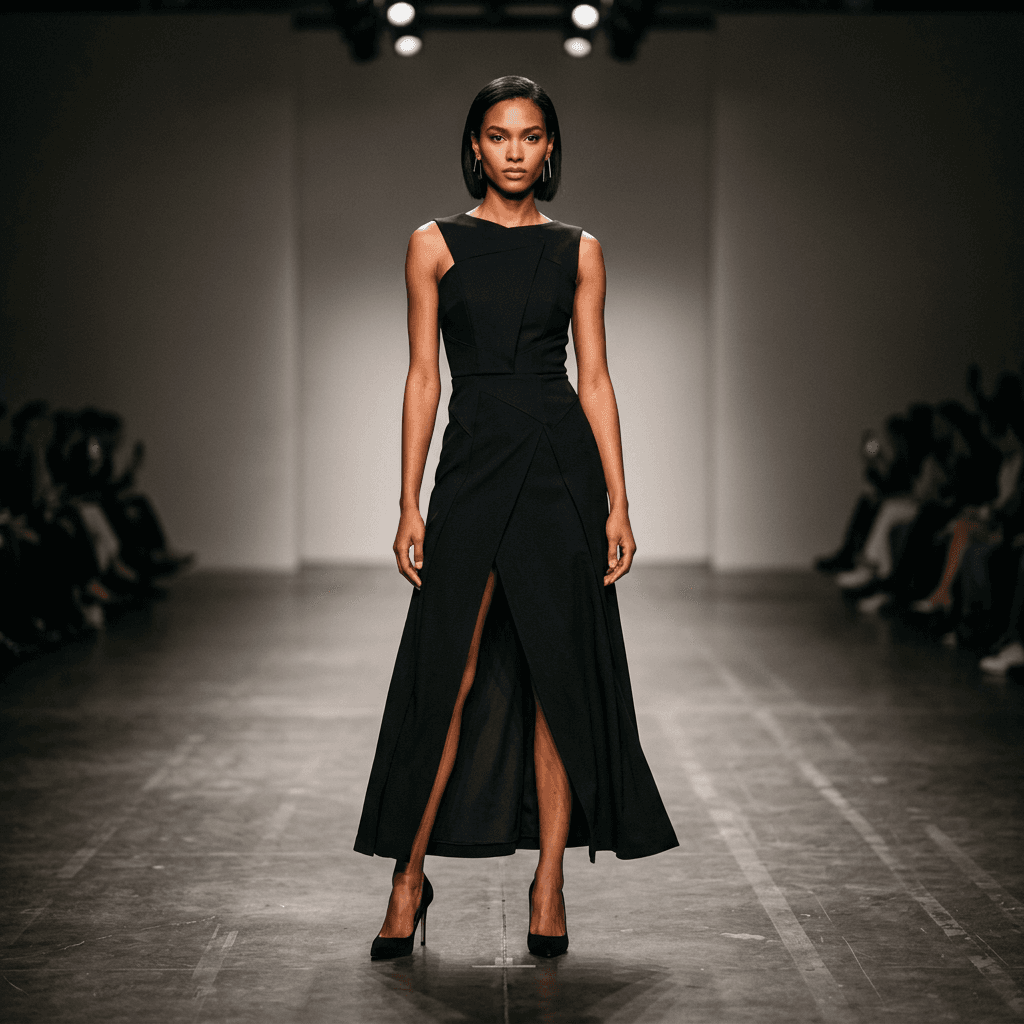
Motion prompt
Animate the model walking forward with subtle fabric movement and natural camera dolly motion, cinematic fashion film style, smooth realistic motion.
Create a product reveal from one hero shot
Build launch-ready teaser clips from a single product image instead of a full video shoot.
Inputs
Input 1 · Product hero image
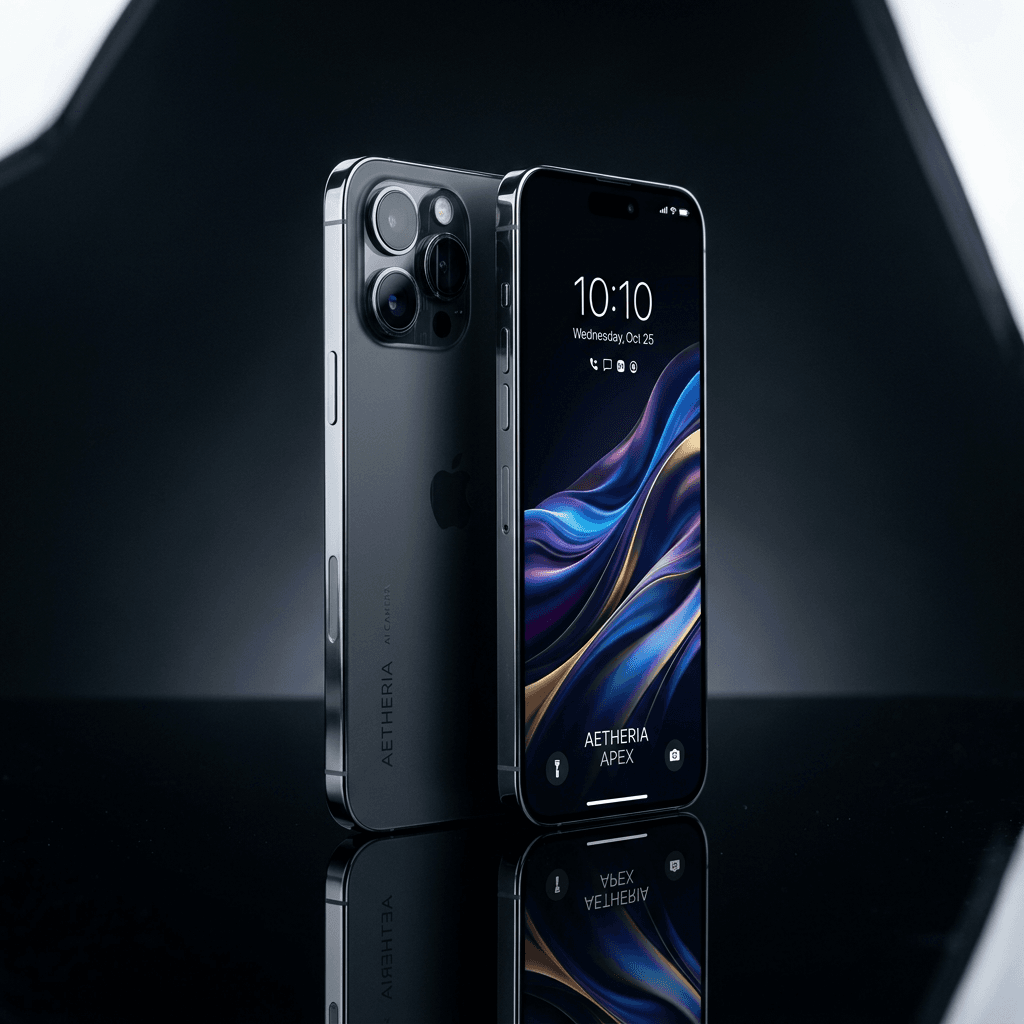
Motion prompt
Animate with a slow cinematic orbit around the product, subtle light sweeps, and gentle depth movement for a premium launch teaser.
Add parallax and atmosphere to landscape art
Turn scenic stills into immersive clips for travel content and ad variations.
Inputs
Input 1 · Landscape image
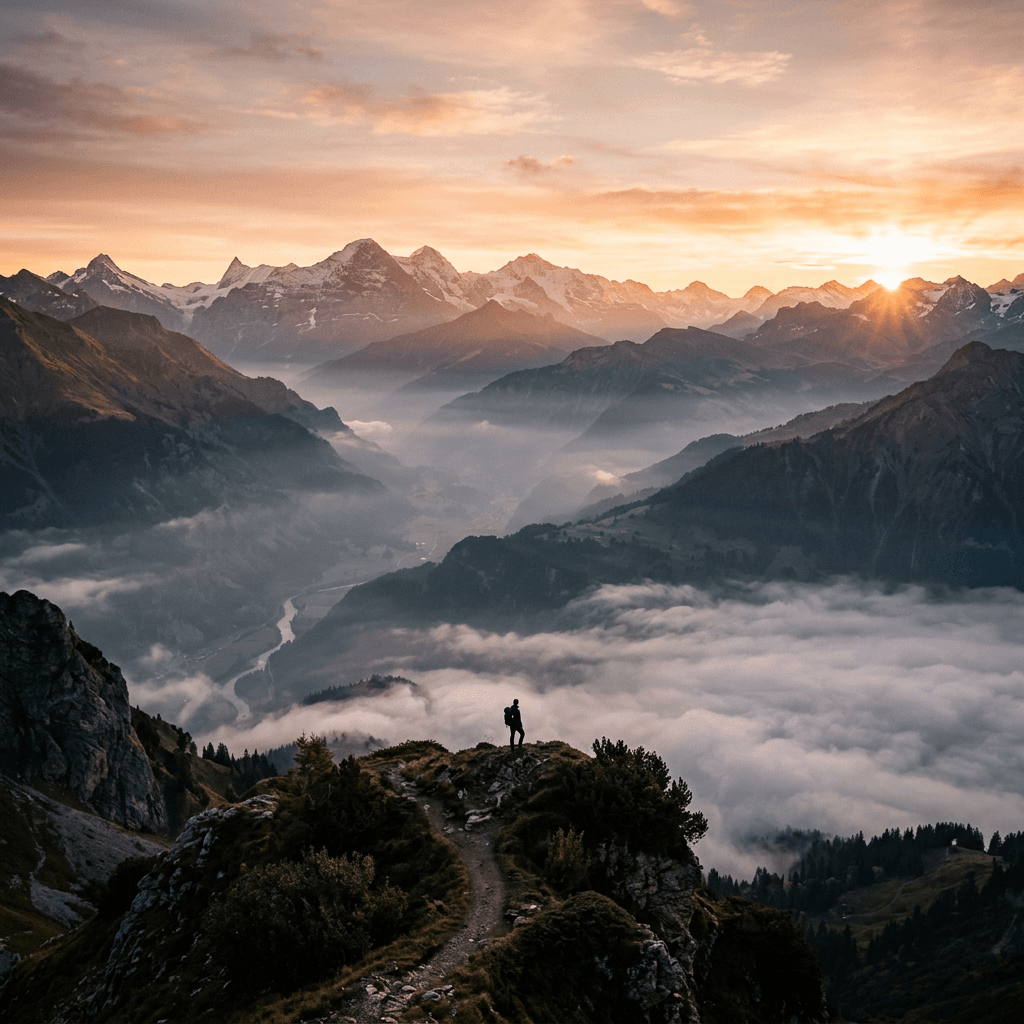
Motion prompt
Create slow forward camera movement with subtle cloud drift and foreground parallax for a realistic cinematic travel shot.
Text to Image examples
Prompt-only examples that show how creators quickly produce visual concepts and ad-ready graphics.
Create a launch campaign visual from one prompt
Generate polished creative for a new product drop without photoshoots or design outsourcing.

Generation prompt
Photorealistic premium skincare serum bottle on a glossy stone pedestal with soft morning light, water droplets, minimal luxury aesthetic, 4:5 composition, high-detail commercial product photography.
Generate destination marketing art for social
Produce destination visuals for travel content calendars and ad testing in minutes.
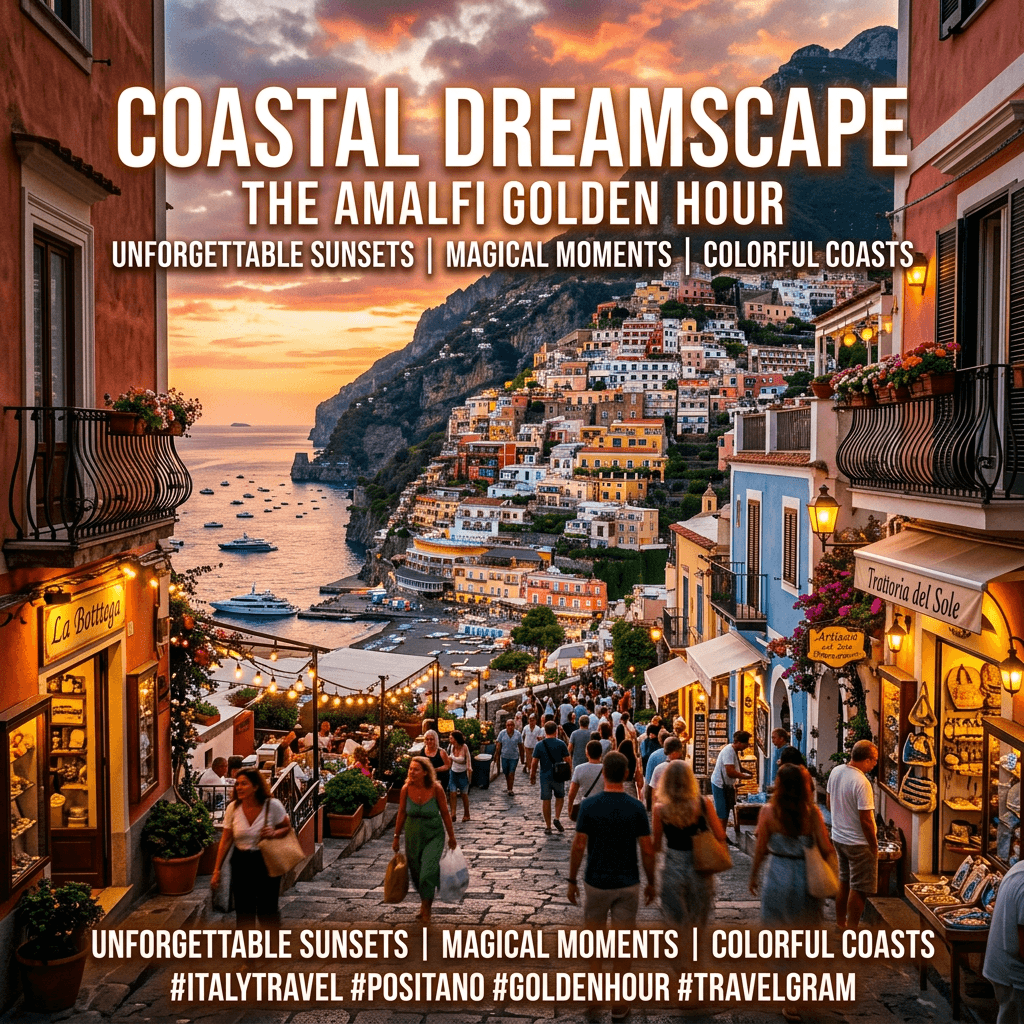
Generation prompt
Vibrant cinematic poster of a coastal town at golden hour, colorful architecture, dramatic sky, street-level perspective, high contrast, social media promo style.
Draft high-contrast thumbnail concepts
Quickly test multiple visual directions for content packaging before final editing.
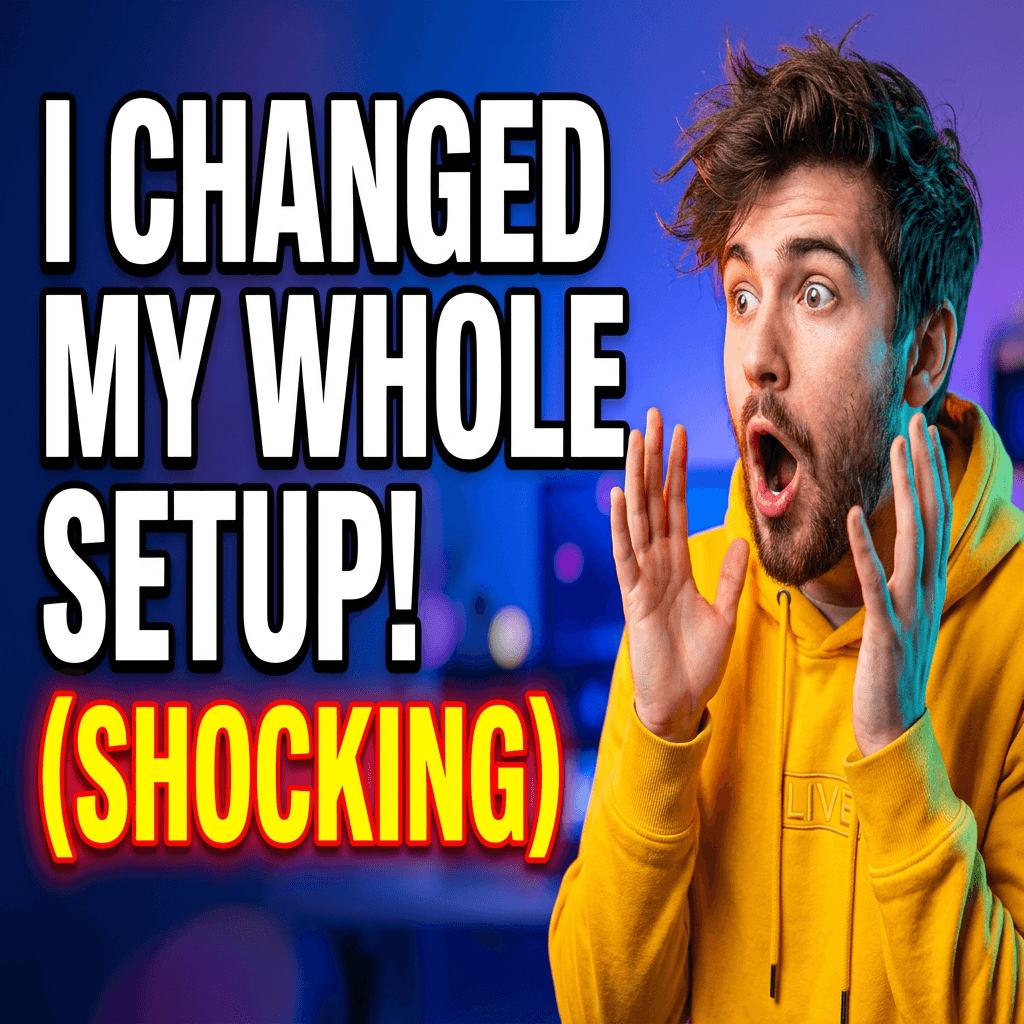
Generation prompt
Bold YouTube-style thumbnail concept of a creator in surprised pose, dynamic lighting, clean background, large negative space for title text, high saturation, eye-catching composition.
Build moodboard-ready fashion concepts
Create direction-setting images for brand moodboards and seasonal campaign planning.
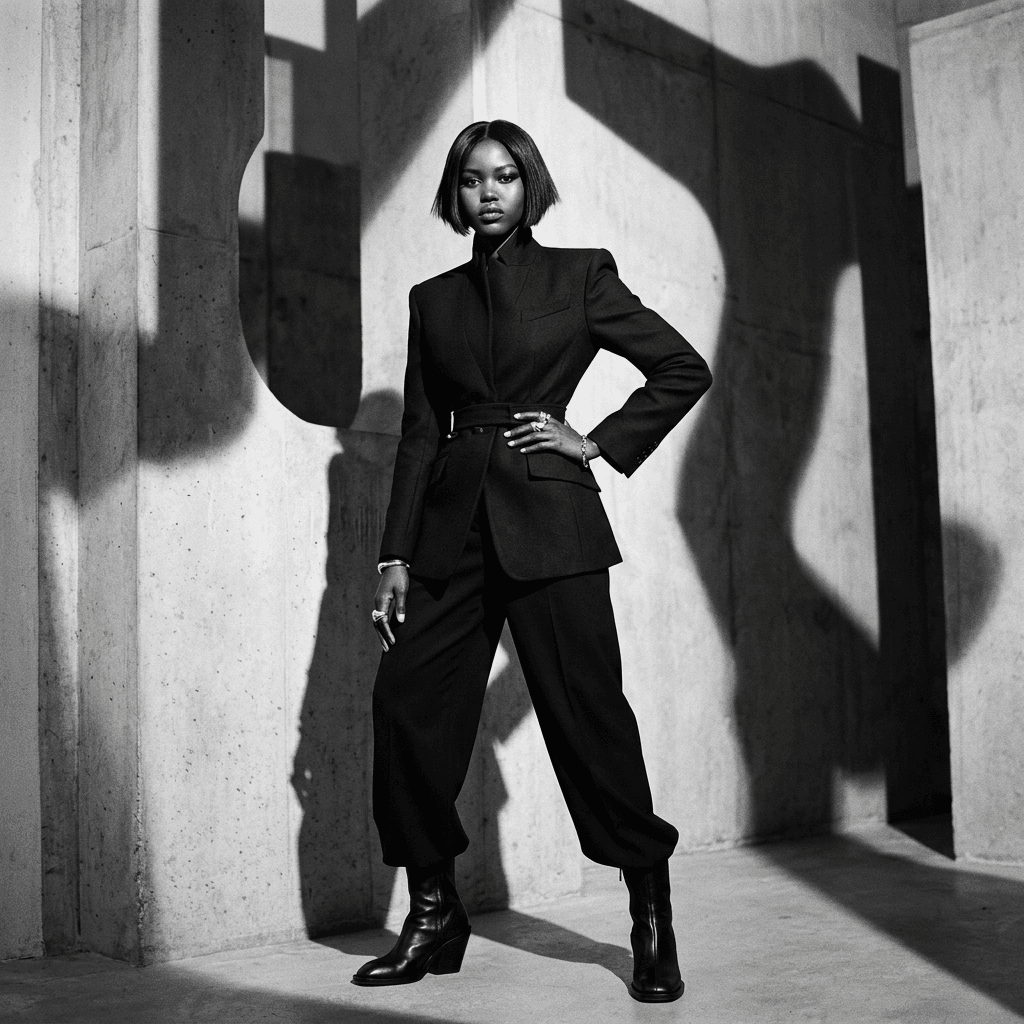
Generation prompt
Editorial fashion portrait in a minimalist studio with sculptural shadows, monochrome palette, sharp styling, premium magazine quality, high-resolution detail.
Speech to Text examples
Speech-to-text examples that show how creators turn uploaded audio into caption-ready transcripts and searchable text.
Explore today's creative apps
View all app pages
Magic Edit
Edit existing images with prompt-level precision.
Refine product shots, replace backgrounds, and apply complex visual changes while keeping subject identity and composition stable.
- Use one or more reference images for controlled visual edits.
- Apply local and global changes with natural language instructions.

Text to Image
Turn prompts into campaign-ready images in minutes.
Generate production-ready visuals for ads, social, product mockups, and concept boards from one focused text-to-image workspace.
- Move from rough idea to polished image with prompt-driven generation.
- Choose the right model for speed, fidelity, or text rendering quality.

Speech to Text
Turn uploaded audio into transcripts and caption-ready text.
Transcribe interviews, voice notes, podcasts, and creator clips from one focused speech-to-text workspace built for captions and searchable transcripts.
- Upload, record, or reuse audio from your library for queue-backed transcription.
- Generate caption-ready transcripts with optional diarization and audio-event tagging.

Text to Speech
Turn scripts and captions into spoken audio in minutes.
Generate polished voice tracks for reels, explainers, product demos, and social narration from one focused text-to-speech workspace.
- Convert scripts into ready-to-use voice tracks with one queue-backed workflow.
- Switch between fixed voices and reference-audio speech generation without leaving the app.

Text to Music
Turn prompts and lyrics into full music tracks from one workspace.
Generate song drafts, hooks, jingles, and background music by pairing a style prompt with structured lyrics inside one focused text-to-music app.
- Pair a music direction prompt with full lyrics for song generation.
- Adjust output format, sample rate, and bitrate without leaving the app.

Image to Video
Animate still images into short videos with sound and motion.
Turn static assets into social-ready clips by combining source images with prompt-guided motion, pacing, and style direction.
- Generate videos from a single image plus prompt instructions.
- Pick model options for realism, speed, or creative motion style.

Image Upscale
Recover detail and increase resolution for production use.
Improve low-resolution images for ads, ecommerce, and print by using model-based enhancement tuned for clarity, texture, and legible detail.
- Upscale images with cleaner detail and stronger edge definition.
- Select enhancement models based on source quality and use case.

Video Upscale
Enhance video resolution while preserving temporal consistency.
Upscale low-quality footage into cleaner, sharper output for distribution while reducing flicker and preserving consistency across frames.
- Enhance frames with diffusion-style restoration techniques.
- Maintain frame-to-frame coherence in long clips.